
Debugging
For quick configuration and development of AI assistants, VoiceBooker provides several ways to understand what an assistant is doing at any time – from actions and tools (i.e. function calls) to webhooks and the current state. Function calls and state are conveniently visible in the Call Transcript/Chat History as well as in the webhook logs.
Inspect Bot State and Stack
In the Call Transcript/Chat History, you can inspect the state as well as the stack for every conversation turn as shown below:
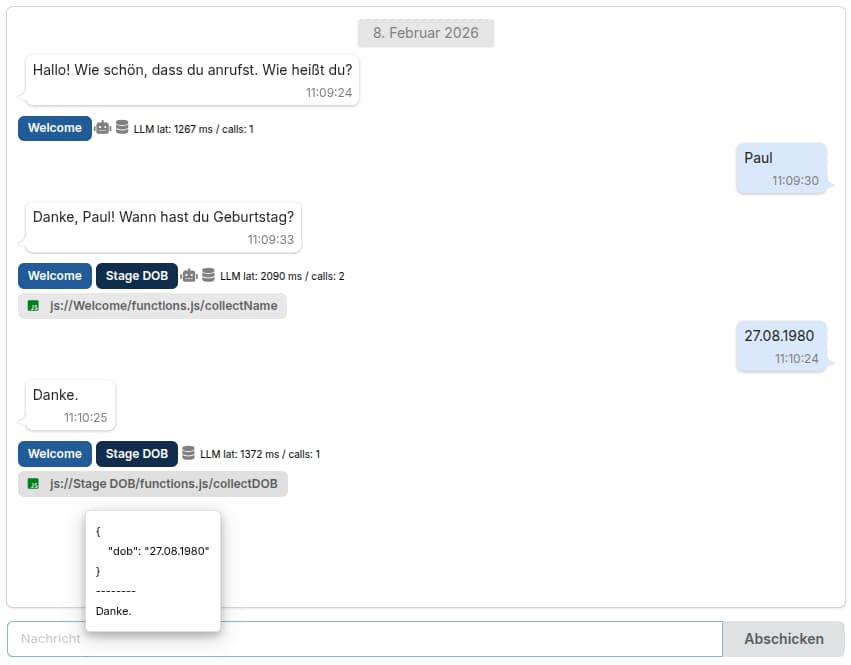
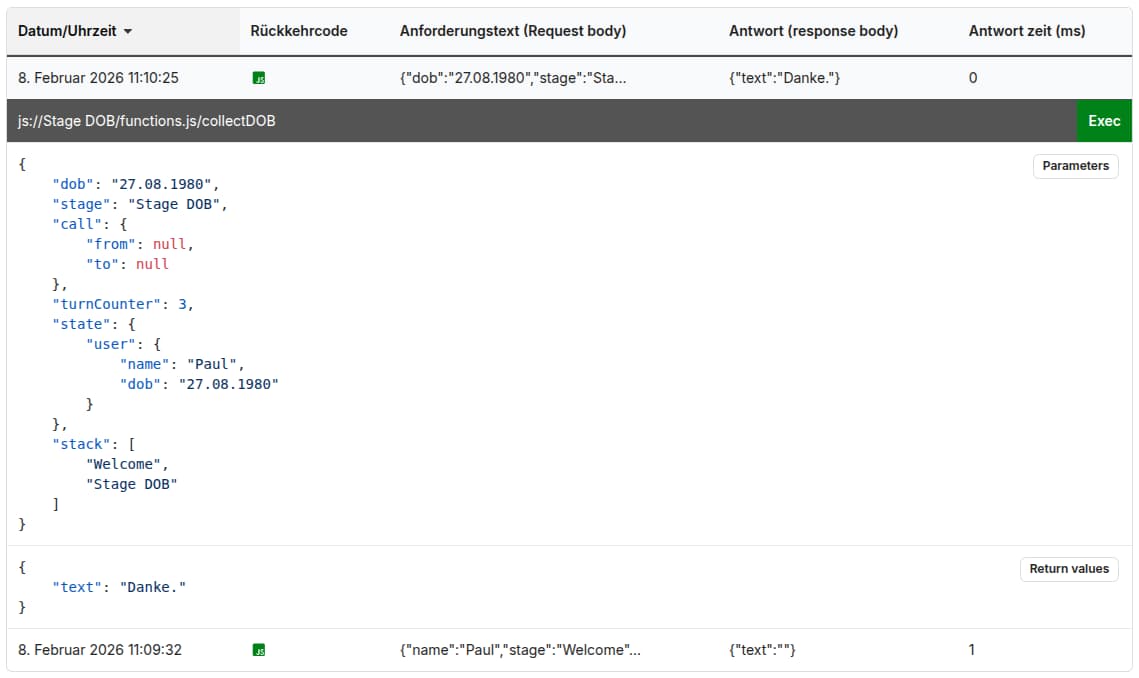
In addition to the state and stack, the debugging view also shows all invoked functions with their passed parameters and return values when hovering over them. By clicking on function calls or webhook calls, you can inspect them further in the webhook logs as shown below:
Custom Log Messages
In addition to inspecting the state and stack, it is also possible to write custom log messages to trace issues.
To log information, call log() from within any JavaScript function as shown below:
function myFunc(params) {
    log(params);
    return ({ "text": "Today is " + new Date().toLocaleString() });
}
The logged message will then appear in the webhook logs for function calls.
